
 In the cut-and-thrust of modern-day contracting, flexibility is king, and the ability to travel with work and work effectively remotely has never been more critical, especially in 2025 with hybrid mandates and global talent pools.
We consider how you can achieve the ultimate goal of a virtual business; something that can be managed from anywhere in the world with just a laptop and a WiFi connection.
Step 1: Set up a virtual office address
A lot of contractors set up their first company using their home address, but that approach can be riddled with problems
- Whenever you move house, you have to go through the painful process of changing your address with HMRC and all of your clients and customers. I have also found from personal experience that banks often hold multiple instances of your address across different accounts and systems, and it can take months to iron out teething problems. I once ended up having to physically drive to a previous address and knock on the door to retrieve a vital set of bank statements from the property that I needed for a submission deadline for my annual accounts
- As my accountant always tells me, HMRC doesnt like businesses that are constantly changing their address. This was a problem for me a few years ago because I was living in rented accommodation and moving around with work, so I had to change my business address multiple times within the space of 2-3 years
- If you are in rented accommodation on an assured shorthold tenancy, it will probably exclude you from using your rental address as a business address; and you may also find that your local council technically prohibits you from this as well (although they would normally only show an interest if you had customers coming and going from the property, which is unlikely to be the case for a contractor)
- Residential addresses also look unprofessional. Your website and your business stationery should all display your business address, so think carefully about what message your home address is projecting to potential clients
There are plenty of companies in the UK that offer virtual office addresses, and many also provide telephone and mail handling services. Regus is a well-known example, but for 2025’s top-rated flexible options (with prestige addresses from £10/month), check independents like Quintessential Offices or Mail Boxes Etc.
It is worth shopping around because prices vary considerably (particularly if you are happy with a non-London address).
Your accountant may also provide a business address you can use for your company-related paperwork, e.g. Companies House
Step 2: Set up a website and web-based email address
This is the easy bit, because most small business website packages include a web-based email address you can access wherever you are.
My top tip, though, is to get a package that supports IMAP, so you can send and receive company email directly from your Gmail or Outlook account rather than constantly logging in and checking for messages.
Services like Google Workspace or Zoho Mail are ideal for this, and both now integrate AI for intelligent sorting in 2025.
Read our guide to setting up a site for your contracting business.
Step 3: Set up a virtual company telephone number
Although it is increasingly acceptable to just use your mobile phone number in business communications, even in large organisations, there is still something reassuring about a landline.
Most virtual offices will offer call handling services, but if you only have a small call volume, this is probably an unnecessary expense.
I found it simpler to set up a redirection to either a landline or a mobile using services like Yay.com or Soho66. You can also manage calls via an app on your phone.
Step 4: Use hot desking
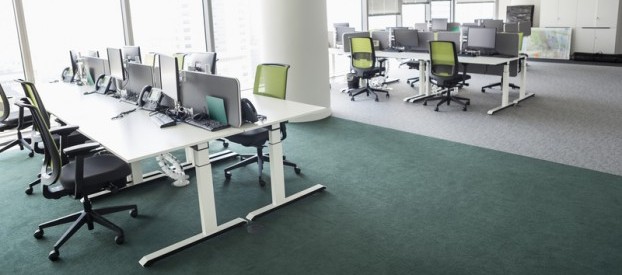
If you usually work on a client site, this will not be relevant, but if you work remotely, hot desking is worth considering.
I have worked from Scarborough to Sarajevo on a combination of dining room tables, kitchen work surfaces, coffee tables, or perched on the end of a sofa, with varying degrees of success.
However, I can say that I am generally most effective working at a proper desk with a proper office chair, away from my home environment, and this is where I spend the majority of my time now.
There are hot-desking facilities all around the UK, from as little as 10 per day. Regus is worth a particular mention because it has good coverage if you move around a lot, or less if you are prepared to make a longer-term commitment.
For 2025’s hybrid boom, WeWork or AndCo (with 400+ London spots at 20/month) are popular co-working options.
Hot desking has the added advantage of being a bit more sociable than working at home, with additional networking opportunities, plus many now offer sustainable perks like eco-friendly spaces.
Step 5: Digitise your accounts
FreeAgent has long been the de facto standard for contractors, and for good reason. It does everything you need and does it well.
I combine FreeAgent with Dext (formerly Receipt Bank), which means that whenever I get a receipt for a business expense, I scan it straight into my phone and upload it, eliminating the usual monthly paper chase.
The software can link to your bank account and even to HMRC, so you can submit your VAT returns from within the application.
Pair it with Xero for AI-driven forecasting if you’re scaling up. Get 80% of for 6 months here.
Step 6: Virtual mail
Most virtual offices offer mail handling, but I found I was constantly missing important mail while working away from home. I recall one particularly nasty example where I came back from a 2-week stint to find a demand letter from HMRC for an overdue VAT payment.
The answer eluded me for a long time, but it finally arrived in the form of UK Postbox, a digital mail-handling service originally targeted at expats living abroad who needed to maintain a presence in the UK.
You can either redirect mail through Royal Mail to a UK Postbox address or permanently move your business address to one of their virtual addresses.
As mail arrives, the contents of the envelope are scanned to PDF, and then you can either store a digital copy or forward it to yourself anywhere in the world now with GDPR-compliant AI redaction for sensitive docs in 2025.
It works the other way around, as well. You can write a letter, scan it, upload it, and post it back without ever having to visit a post box or buy a stamp.
I have completed the circle by creating a high-quality scan of my signature, which can be inserted at the bottom of any document that requires it.
Step 7: Virtual filing cabinet
The final piece of the puzzle. I had a bulging 2-drawer filing cabinet for the first 6 years as a contractor, and even though I referred to it relatively infrequently, I knew that it was critical to retain those records.
I finally took the leap of faith and scanned everything as a ‘searchable PDF’ and uploaded it to a virtual filing cabinet on Dropbox. You can also use Google Drive or OneDrive.
Not only have I freed up some valuable space, but I also know that I have instant secure remote access to all of my documents, past, present and future, from wherever I am.
2025 Extras
Secure remote access
If you’re often abroad or using public Wi-Fi, it’s a good idea to use a secure VPN such as NordVPN (top-rated for 2025 speeds and unlimited devices) or ProtonVPN. Use a password manager like Bitwarden to keep everything safe.
Digital signatures
Instead of scanning signatures, use proper e-signature tools like DocuSign or HelloSign to sign NDAs, contracts and timesheets securely now with AI verification for faster approvals.
Admin automation
Contractors increasingly use tools like Zapier to automate calendar invites, invoice reminders and file backups. You can also use Calendly to let clients book calls or timesheets without emailing back and forth.
This guide was initially written and inspired by Peter Roy, a freelance project manager and productivity guru, and has been updated by the ITContracting team for 2025.